Concurrent Builds
Learn how Dokploy manages build/deployment concurrency per server and how to configure it.
Dokploy processes deployments through a queue that is scoped per server. Every server, including the Dokploy server itself, has its own independent concurrency setting that controls how many builds can run at the same time on it.
How the Queue Works
Each server (the local Dokploy server, and every remote/build server) has its own queue partition:
- Jobs are grouped by server, so builds on different servers never block each other.
- Within a server's queue, up to N jobs can run in parallel, where N is that server's configured concurrency.
- Multiple builds of the same application or Docker Compose service are always serialized (FIFO), even if concurrency is greater than 1. This prevents two builds of the same service from colliding (same source directory, same container name, etc).
This means increasing concurrency lets different applications on the same server build at the same time, it does not parallelize multiple deployments of the same app.
Default Concurrency
By default, every server, the Dokploy server and any remote server, has a concurrency of 1. This means builds on that server run one at a time.
Limits
Concurrent builds are a self-hosted feature and are configured per server. They are not available on Dokploy Cloud, where build scheduling is managed by the platform.
Concurrent builds are fully available in the open-source version — no license required. You can set each server's concurrency to any value between 1 and 100.
Configuring Concurrency
- Go to Dashboard → Settings → Deployments.
- Under Dokploy Server, set the concurrency for the local server.
- Under Remote Servers, set the concurrency for each remote or build server individually.
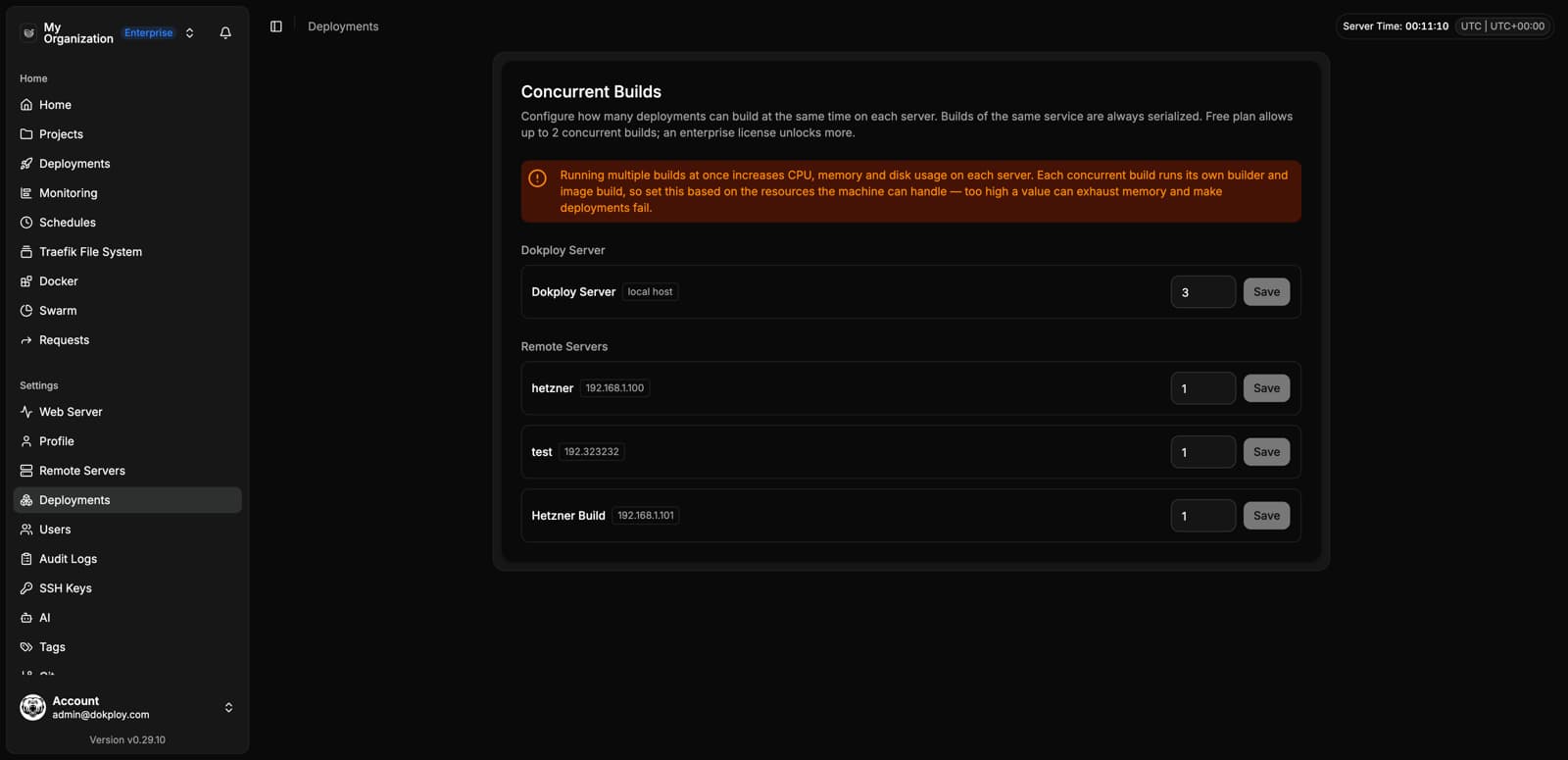
Each server's concurrency is configured independently, so you can, for example, keep the Dokploy server at 1 while increasing concurrency on a dedicated build server with more resources.