Application Authentication (Forward Auth)
Protect deployed applications behind an SSO login gate, powered by oauth2-proxy and Traefik forward-auth
Application Authentication puts a Single Sign-On login gate in front of your deployed applications. Once enabled on a domain, visitors must authenticate with your identity provider before Traefik forwards their request to your app.
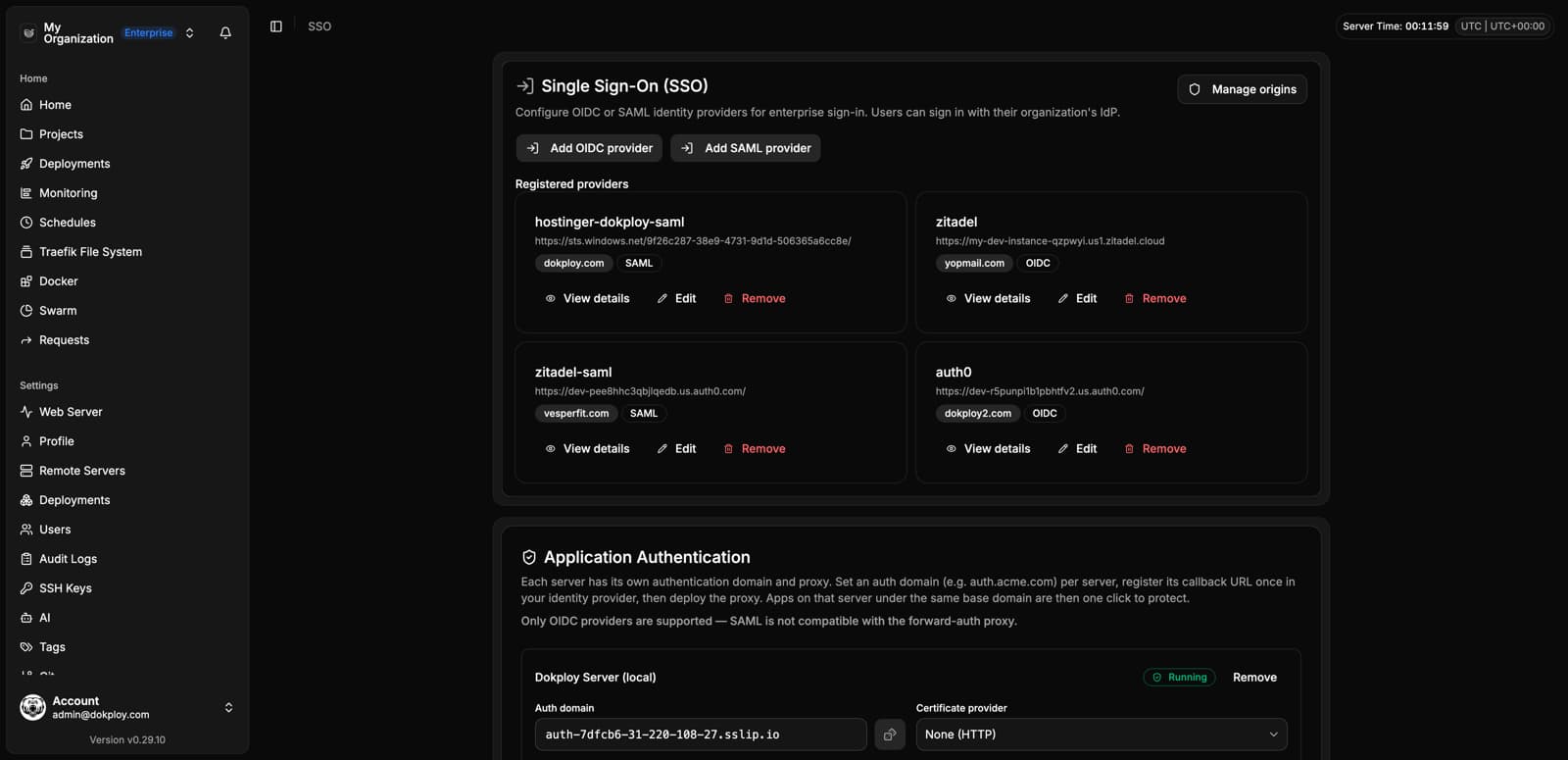
This is an Enterprise feature and requires a valid enterprise license, plus an OIDC identity provider already configured under Settings → SSO.
How It Works
Application Authentication is built on top of oauth2-proxy and Traefik's forwardAuth middleware:
- Dokploy deploys a dedicated
dokploy-forward-authservice (oauth2-proxy) on a server, configured with one of your OIDC providers. - A shared auth domain (e.g.
auth.acme.com) is registered in Traefik, pointing to that oauth2-proxy instance. - On any application domain where you enable SSO protection, Dokploy adds a
forwardAuthmiddleware to that domain's Traefik router, pointing at the auth domain. - When a visitor requests the protected app, Traefik first checks with oauth2-proxy. If they're not authenticated, they are redirected to log in via your identity provider on the shared auth domain, then redirected back to the app once authenticated.
This is deployed per server: one oauth2-proxy instance handles authentication for every protected application domain on that server. Individual applications "opt in" by enabling the toggle on their domain.
Any user who can successfully authenticate against the configured identity provider is granted access. There is currently no allow-list by email, domain, or group — access control should be enforced on the identity provider side (e.g. restrict who can sign in to the OIDC application you registered).
Prerequisites
- A valid Enterprise license.
- An OIDC provider already registered under Settings → SSO. SAML providers are not supported for this feature — only OIDC.
- A domain you control to use as the shared auth domain (e.g.
auth.acme.com), pointed via DNS to the target server. - The auth domain must share the same base domain as any application domain you want to protect (e.g.
auth.acme.comcan protectapp.acme.com, but notapp.other.com), since the authentication cookie is scoped to that shared base domain.
Setting Up the Authentication Proxy
- Go to Dashboard → Settings → SSO.
- Under Application Authentication, find the server you want to protect applications on (this can be a remote server or, if self-hosted, the local Dokploy server).
- Set the auth domain (e.g.
auth.acme.com) and choose your TLS/certificate settings (Let's Encrypt, custom resolver, or none). - Click Deploy and select which OIDC provider to use for this server.
- Once deployed, Dokploy shows a callback URL — register it with your identity provider if it isn't already covered by your OIDC application configuration.
Only one auth domain and one OIDC provider can be configured per server. To use different providers for different applications, deploy them on different servers.
Protecting an Application Domain
Once the authentication proxy is running on a server:
- Go to your Application → Domains tab.
- Click the shield icon next to the domain you want to protect.
- Toggle Protect this domain with SSO.
The domain's Traefik configuration is updated immediately to require authentication. You can enable or disable protection independently for each domain, an application with multiple domains can have SSO enabled on some and not others.
Application Authentication is currently only supported on application domains. Docker Compose service domains are not supported.
Removing Protection
- To stop protecting a single domain, toggle it off from the same Domains tab.
- To tear down the authentication proxy for an entire server, go back to Settings → SSO → Application Authentication and click Remove for that server. This removes the
dokploy-forward-authservice, applications on that server will no longer be able to enable SSO protection until it's redeployed.